
FilmTracker for Lightroom Classic
Professional film metadata management directly inside Lightroom. Tag your scanned film images with detailed camera, lens, and film stock information without ever leaving your catalog.
Overview
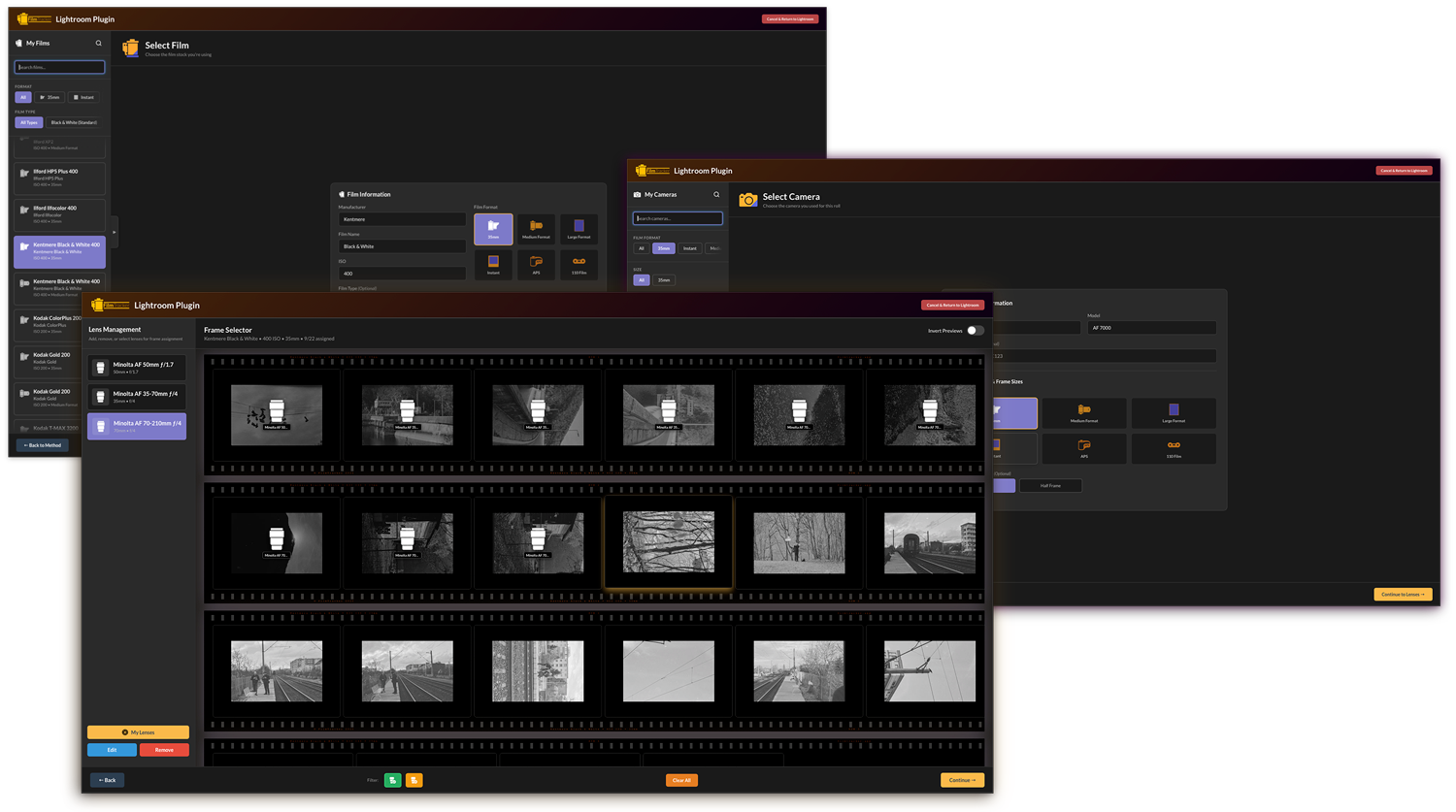
The FilmTracker Lightroom Plugin integrates seamlessly with Adobe Lightroom Classic, providing access to your camera, film, and lens presets directly from the Library module. Apply professional-grade metadata to your scanned film images using the same intuitive wizard interface, but without the need to export, tag, and re-import your photos.
Select Images
Choose images in Lightroom's Library Grid or Filmstrip
Launch Plugin
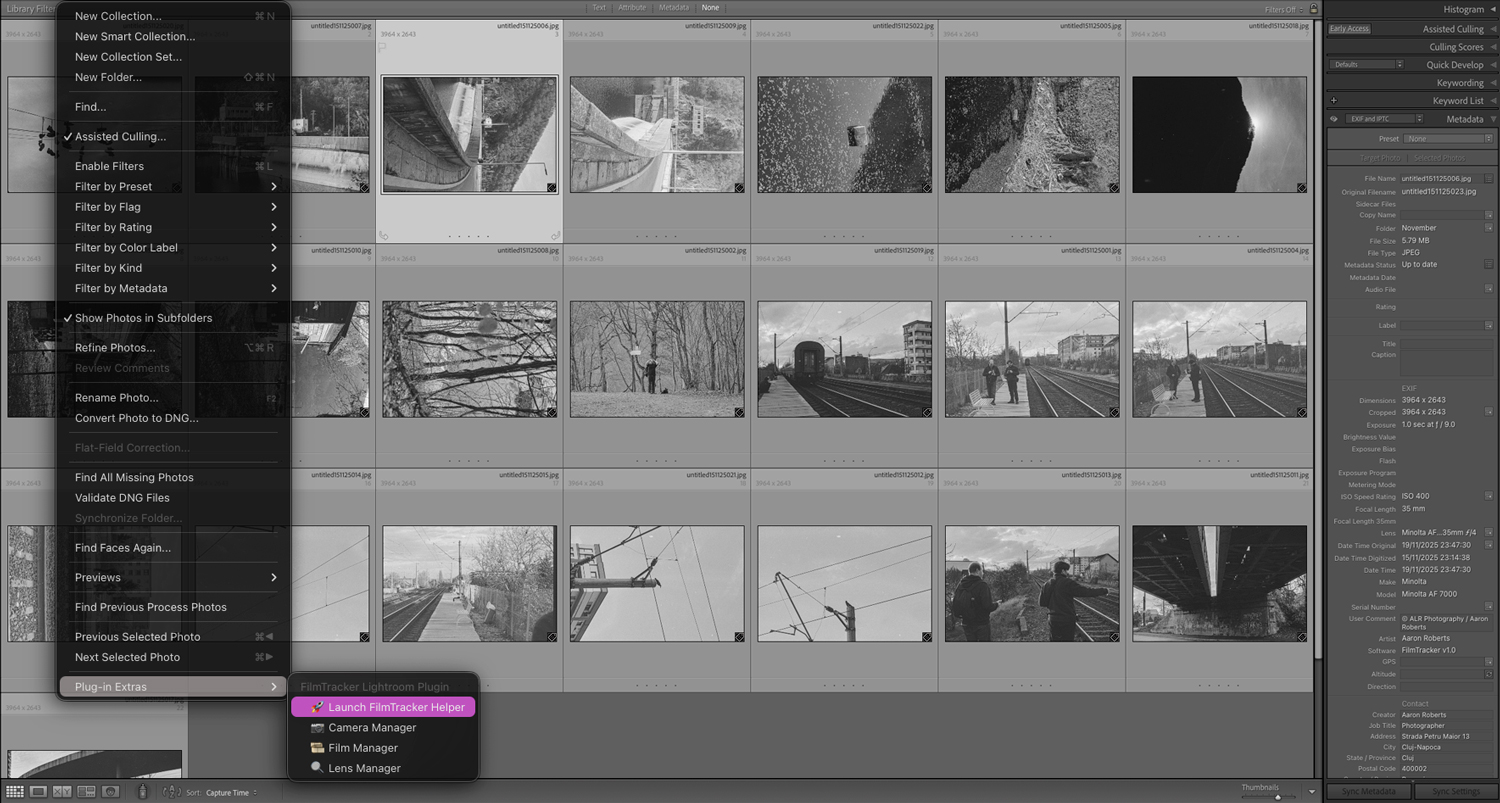
Access FilmTracker from Library → Plug-in Extras → FilmTracker
Apply Metadata
Use the wizard to assign camera, film, and lens data
Continue Editing
Metadata is written directly to your cataloged files
Key Features
Lightroom Library Integration
Launch FilmTracker directly from Lightroom's Plug-in Extras menu. The plugin works with your selected images in the Library module, making it easy to batch-process entire rolls or individual frames.
- Seamless integration with Lightroom Classic
- Works with selected images in Library Grid view
- No need to export and re-import
- Metadata writes directly to catalog
- Continue editing workflow immediately
Full Preset Management
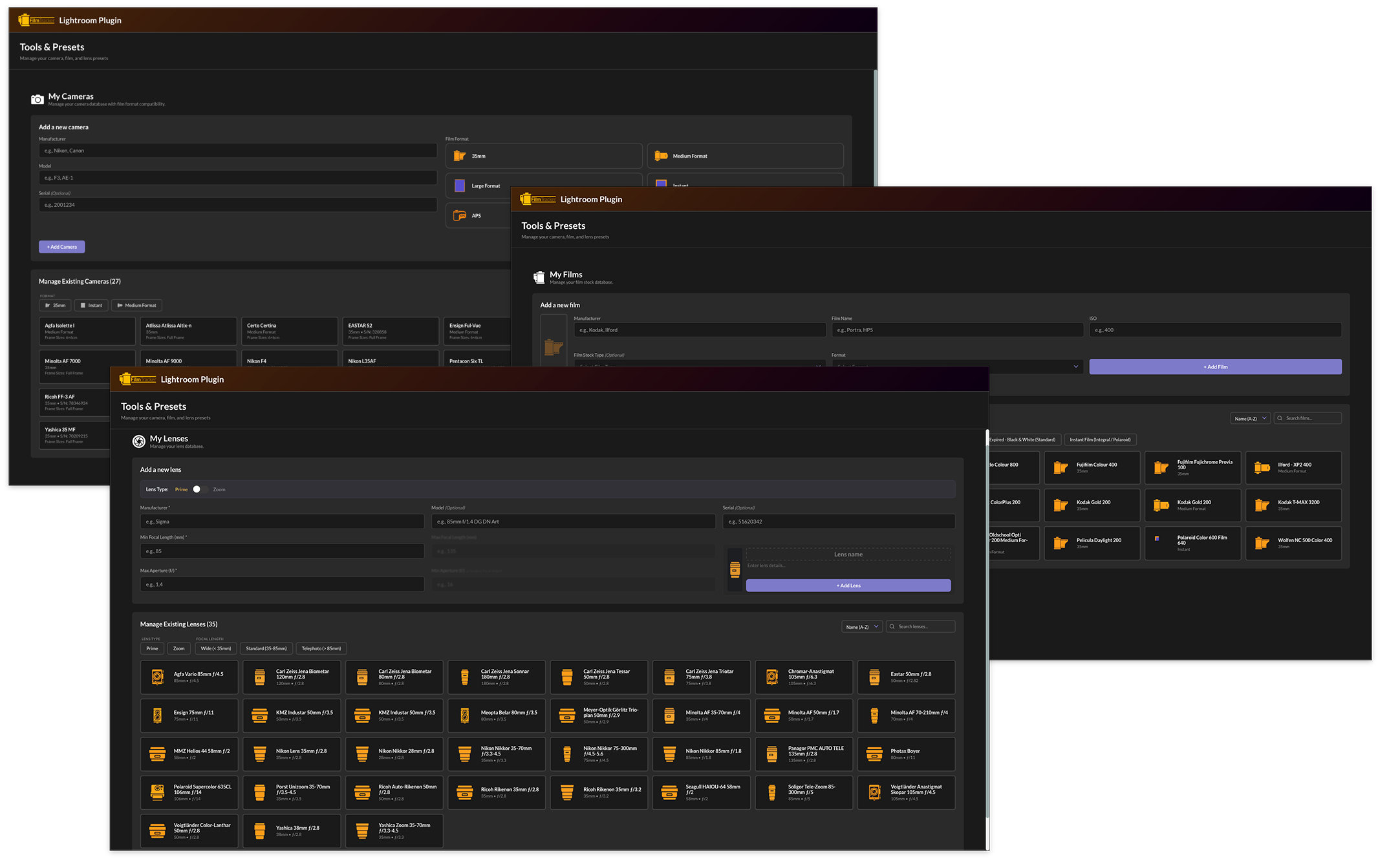
The Lightroom Plugin includes complete Camera, Film, and Lens preset managers—identical to the Desktop App. Create, edit, and organize your entire gear database from within Lightroom.
- Complete Camera, Film, and Lens managers
- Search and filter presets
- Import/export preset libraries
- Bundle users: Presets automatically sync with Desktop App
- Share presets with other FilmTracker users
Filmstrip View & Frame-Level Assignment
Just like the Desktop App, the Lightroom Plugin features a visual filmstrip view for assigning different lenses to individual frames within a roll. Perfect for mixed-lens shooting or street photography.
- Visual filmstrip with thumbnails
- Frame-by-frame lens assignment
- Batch assignment for same lens
- Quick access to lens presets
- Perfect for photographers who switch lenses mid-roll
Batch Processing
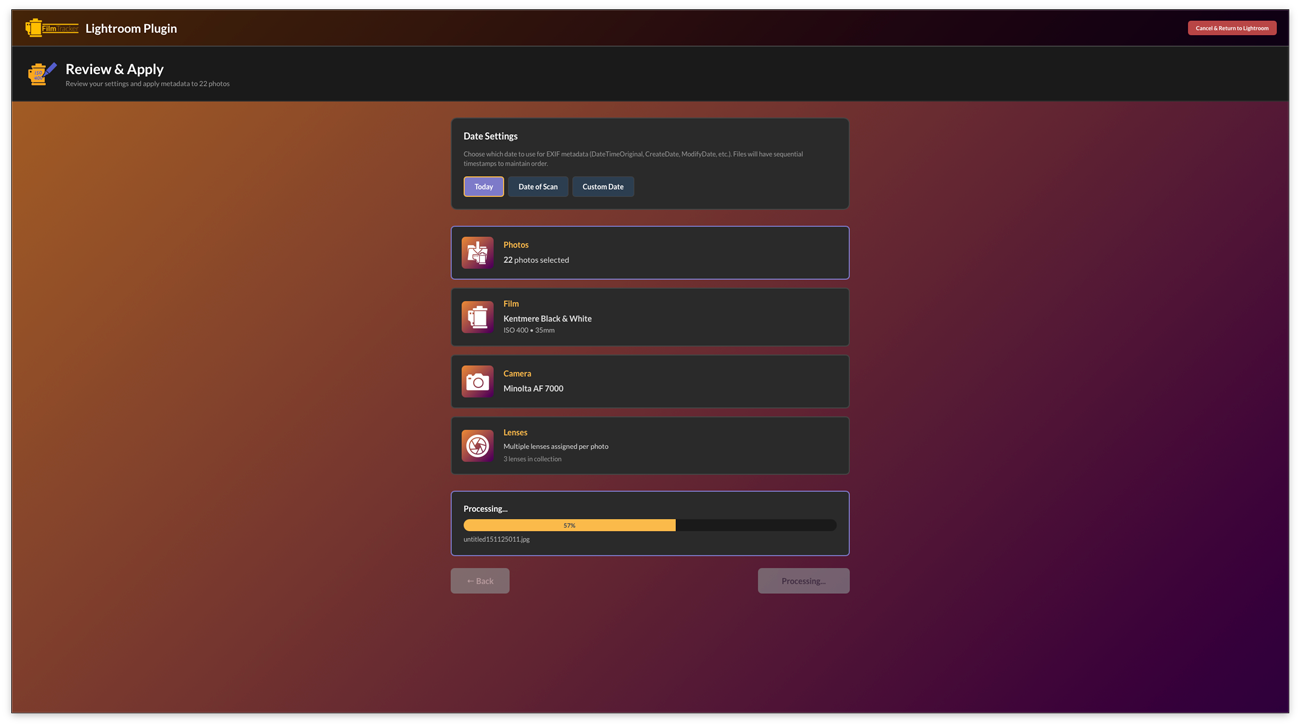
Apply metadata to multiple images simultaneously. Select an entire roll in Lightroom, launch the plugin, and tag all images with the same camera and film information in one pass—then assign lenses frame-by-frame if needed.
- Process entire rolls at once
- Same camera/film for all selected images
- Individual or batch lens assignment
- Fast and efficient workflow
- No file export/import required
Customization & Extension
The Lightroom Plugin includes full support for custom film formats, film types, and frame sizes—just like the Desktop App.
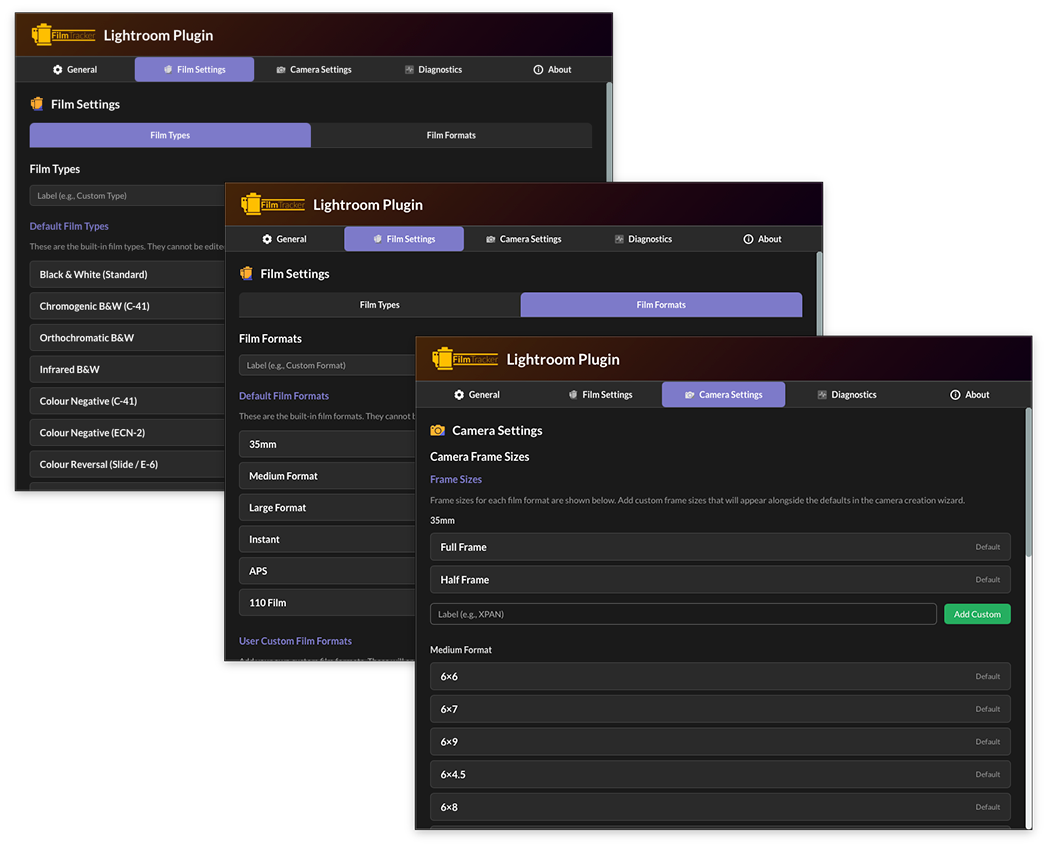
- Custom Film Formats: Add specialty formats like half-frame, panoramic, redscale, experimental, or support discontinued formats like 126, 127, disc film
- Custom Film Types: Create personal categories like "My Expired Films," "Hand-Rolled," "Cross-Process," or organize by lab, project, or shooting style
- Custom Frame Sizes: Support panoramic backs (6×12, 6×17, 6×24), reducing backs, or any aspect ratio your camera produces
- Preset Sharing: Export custom configurations as JSON files and share with other FilmTracker users (Desktop or Plugin)
- Bundle Users: Custom formats automatically sync between Desktop App and Plugin
What's Different from the Desktop App?
The Lightroom Plugin is streamlined for catalog-based workflows
| Feature | Desktop App | Lightroom Plugin |
|---|---|---|
| Camera/Film/Lens Presets | ✓ Full management | ✓ Full management |
| Wizard Workflow | ✓ Complete wizard | ✓ Complete wizard |
| Filmstrip Frame Assignment | ✓ Visual filmstrip | ✓ Visual filmstrip |
| Metadata Writing | ✓ EXIF/IPTC/XMP | ✓ EXIF/IPTC/XMP |
| Batch Processing | ✓ Unlimited files | ✓ Selected images in LR |
| Custom Formats/Types/Sizes | ✓ Full customization | ✓ Full customization |
| MetaRename Tool | ✓ Advanced batch renaming | — Not available |
| Erase Metadata Tool | ✓ Complete removal | — Not available |
| Destination/Export Control | ✓ Full control | — Uses LR catalog |
| Standalone Operation | ✓ Independent app | — Requires Lightroom Classic |
| Drag & Drop Import | ✓ From anywhere | — Uses LR catalog images |
Why These Differences?
The Lightroom Plugin is designed to work within your existing Lightroom workflow. Features like advanced renaming and export destination control aren't necessary because Lightroom already provides powerful file management, export presets, and catalog organization.
If you need these advanced features, consider upgrading to the Bundle to get both the Desktop App (with all tools) and the Lightroom Plugin with shared presets.
Installation & Setup
System Requirements
- Lightroom: Classic CC 2015 (6.0) or later
- OS: macOS 11+ or Windows 10 64-bit+
- Disk Space: 150MB
- RAM: 4GB min, 8GB recommended
Installation Steps
- Download the FilmTracker Lightroom Plugin installer
- Run installer and follow on-screen instructions
- Enter your license key
- Restart Lightroom Classic
- Verify plugin is active in File → Plug-in Manager
- Access from Library → Plug-in Extras → FilmTracker
Bundle Benefits
Desktop App + Lightroom Plugin Bundle
When you purchase the FilmTracker Bundle, you get both the standalone Desktop App and the Lightroom Plugin with seamless preset synchronization.
Preset Synchronization
Create a camera preset in the Desktop App → instantly available in Lightroom Plugin. Add a film stock in Lightroom → automatically synced to Desktop App. One unified gear database.
Workflow Flexibility
Use Desktop App to tag and rename scans before importing to Lightroom, or use Plugin to tag images already in your catalog. Switch between applications as your needs change.
Best Value
Lower total cost than purchasing separately. Both applications included in one license. Use on unlimited computers. Free updates for both products.
Frequently Asked Questions
Do I need the Desktop App to use the Lightroom Plugin?
No. The Lightroom Plugin is a completely standalone product. However, if you purchase the Bundle, you get both applications with preset synchronization.
Can I use this with Lightroom CC (cloud version)?
No. Lightroom CC has very limited plugin support. The FilmTracker plugin requires Lightroom Classic (desktop version).
Will this work with older versions of Lightroom?
The plugin supports Lightroom Classic CC 2015 (version 6.0) or later. If you're using an older perpetual license version, check compatibility before purchasing.
Does the plugin slow down Lightroom?
No. The plugin only runs when you explicitly launch it from Plug-in Extras. It has no impact on Lightroom's performance during import, editing, or export.
Can I edit the metadata after the plugin writes it?
Yes! All metadata is written using standard XMP/EXIF formats and can be viewed or edited in Lightroom's Metadata panel or any XMP-compatible application.
Can I use the plugin on multiple computers?
Each license allows activation on 1 device at a time. You can deactivate from one computer and activate on another as needed. Contact support if you need a multi-device license.
Get FilmTracker for Lightroom Classic
Bring professional film metadata management directly into your Lightroom workflow.