
FilmTracker Features
Professional metadata management available as a Desktop App or Lightroom Plugin
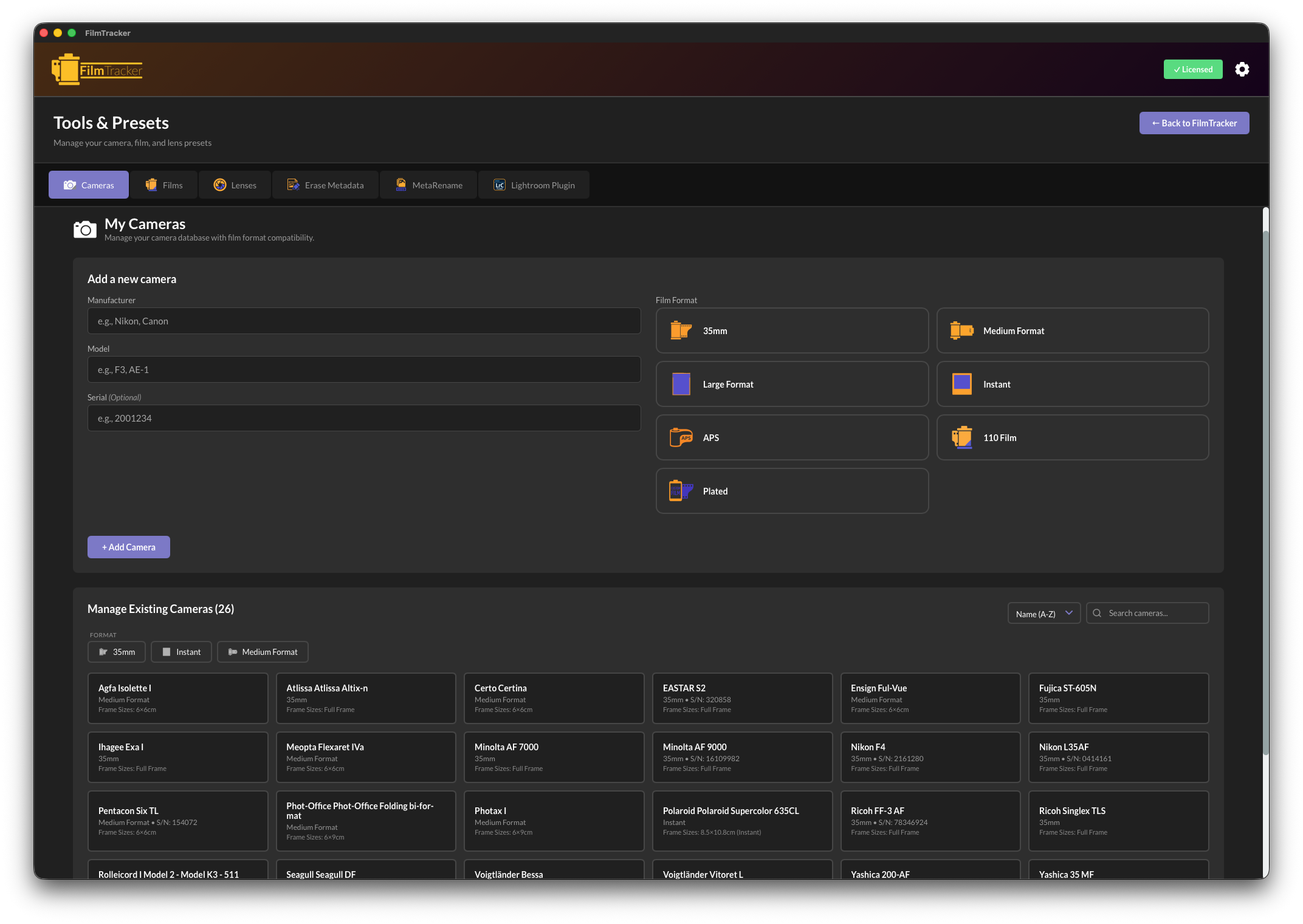
Comprehensive Camera Management
Available in: Desktop App & Lightroom Plugin
Store detailed information about all your film cameras including make, model, format, and serial numbers. Presets sync automatically between Desktop and Plugin (Bundle users).
- Unlimited camera presets
- Support for 35mm, Medium Format, Large Format, Instant, APS, and 110 film
- Serial number tracking
- Frame size compatibility (6×6, 6×7, 4×5, etc.)
- Visual format indicators
- Search and filter capabilities
- Import/Export camera presets
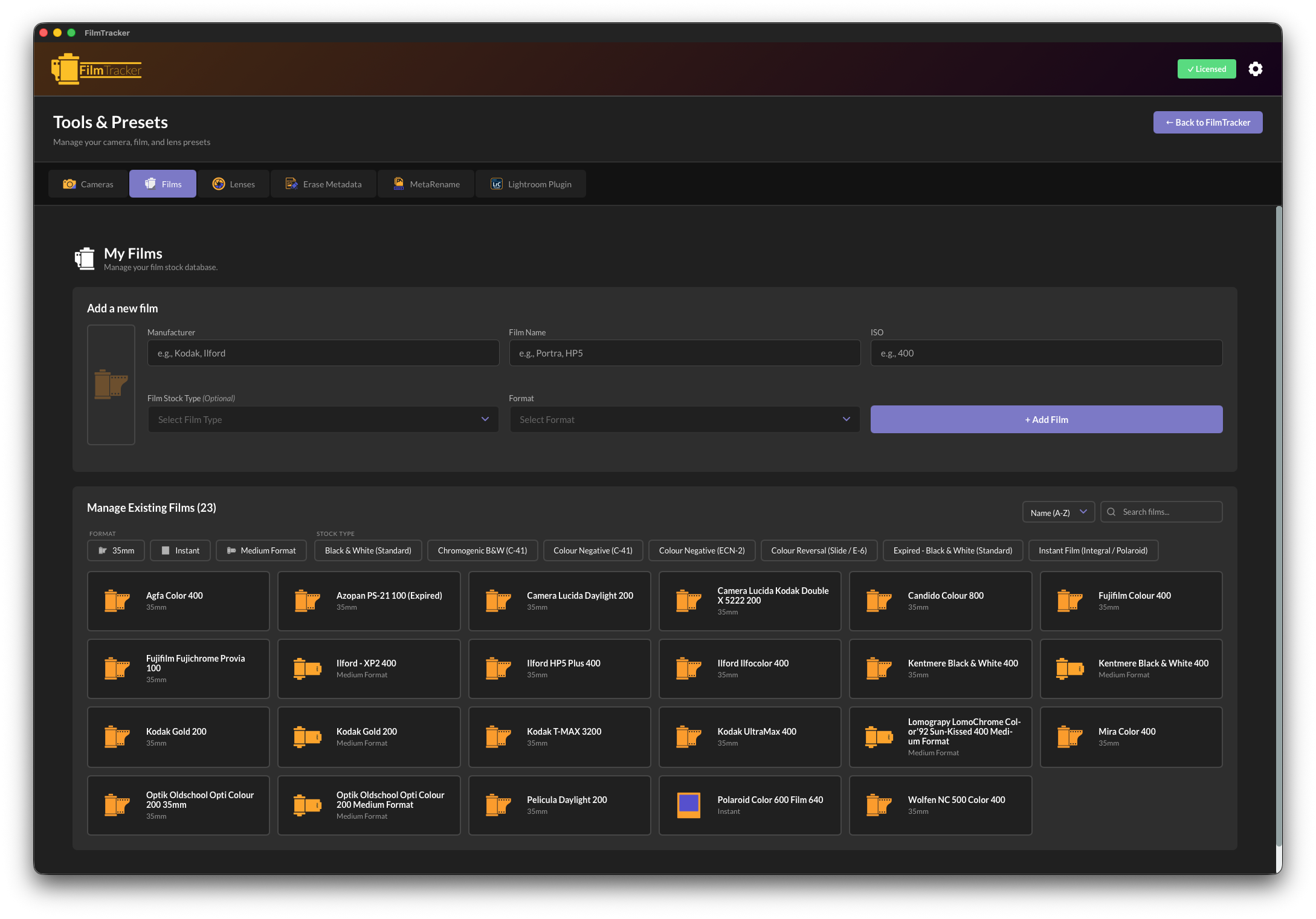
Advanced Film Stock Database
Available in: Desktop App & Lightroom Plugin
Track every film stock you use with detailed information about manufacturer, type, ISO, and format. Pre-loaded with popular films from Kodak, Ilford, Fuji, and more.
- Complete film details (manufacturer, name, ISO, format)
- Film type classification (Color Negative, B&W, Slide, Infrared)
- Custom film types for specialty stocks
- Format-specific presets (35mm, 120, sheet film, instant)
- Push/pull processing notes
- Search and organization tools
- Preset library import/export
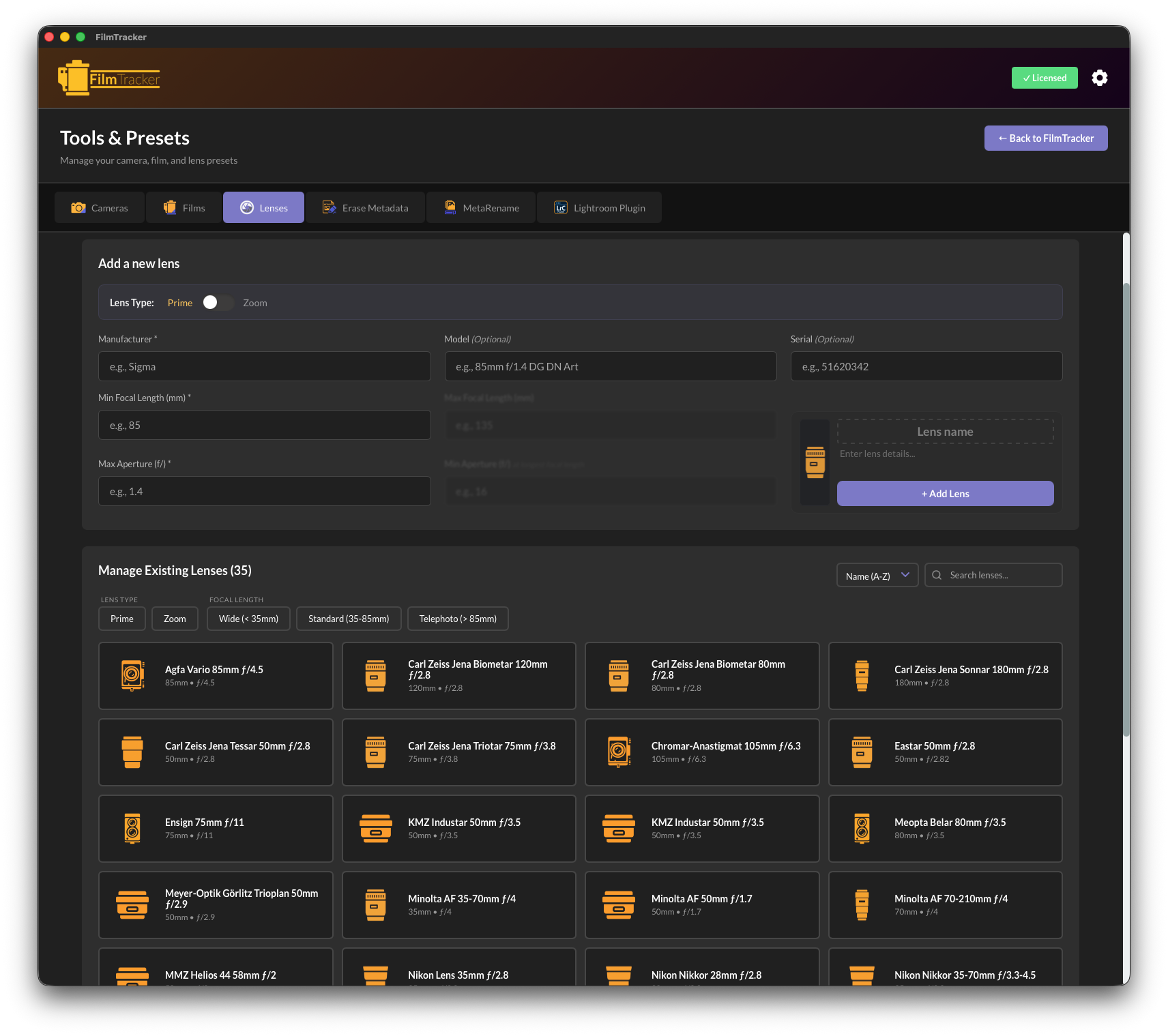
Professional Lens Management
Available in: Desktop App & Lightroom Plugin
Manage your entire lens collection with complete data including focal lengths, apertures, and serial numbers. Support for both prime and zoom lenses.
- Prime and zoom lens modes
- Complete optical specifications (focal length, aperture)
- Manufacturer and model tracking
- Serial numbers for insurance documentation
- Focal length categories (wide, standard, telephoto)
- Smart icons based on lens type
- Mount type identification
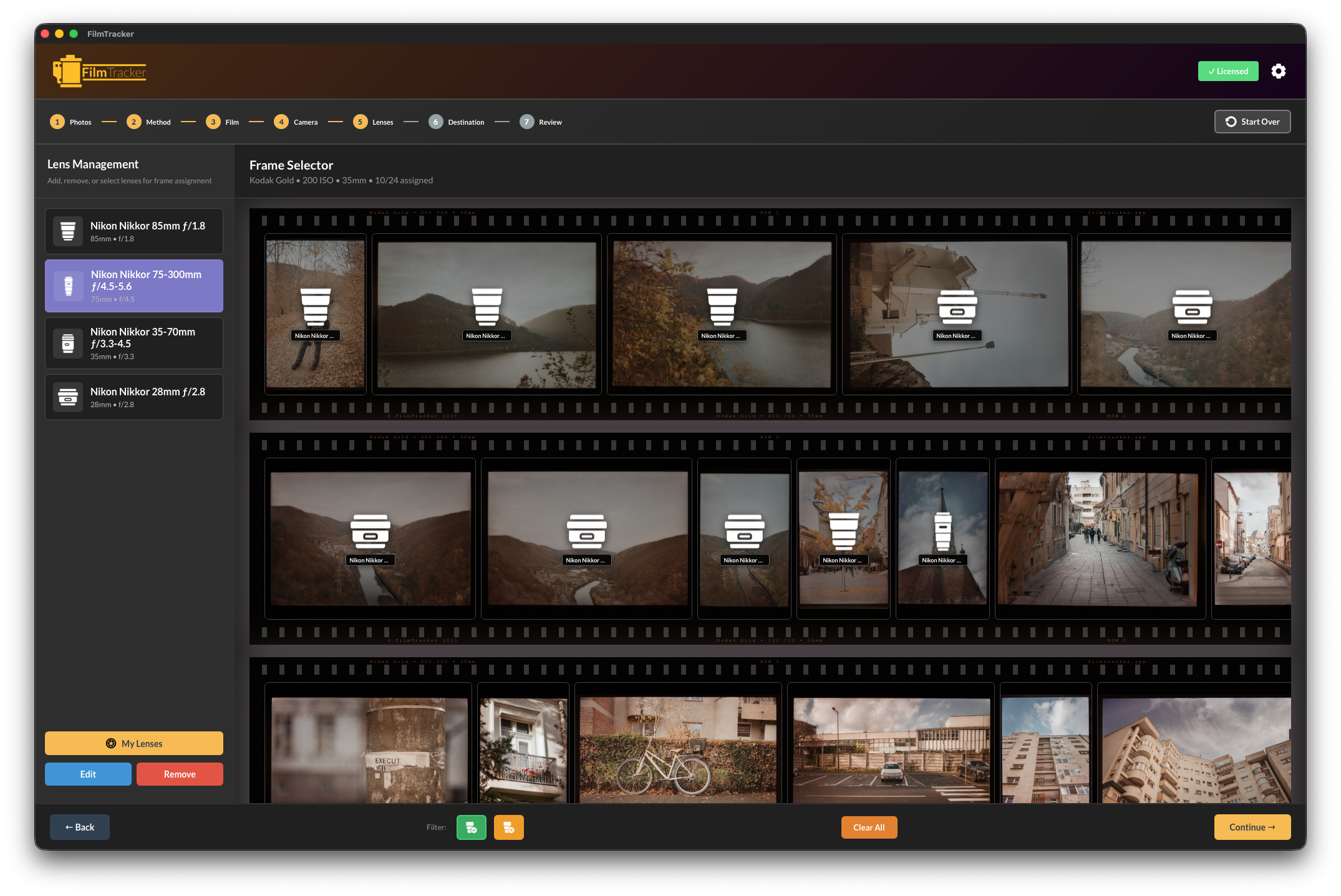
Frame-by-Frame Control
Available in: Desktop App & Lightroom Plugin
For mixed-lens shooting, assign different lenses to individual frames within a roll. See all your images in a visual filmstrip layout.
- Visual filmstrip with thumbnails
- Individual frame selection
- Batch lens assignment
- Drag to select frame ranges
- Quick access lens drawer
- Perfect for street photography
- Mixed-lens shooting support

MetaRename - Advanced Batch Renaming
Desktop App Exclusive
Create custom filename patterns using drag-and-drop tags. Perfect for organizing scans by camera, film, date, or frame number.
- Drag-and-drop pattern builder
- Camera, film, lens, date tags
- Smart counter with zero-padding
- Live preview before renaming
- Multiple date format options
- Custom text and separators
- Batch process hundreds of files
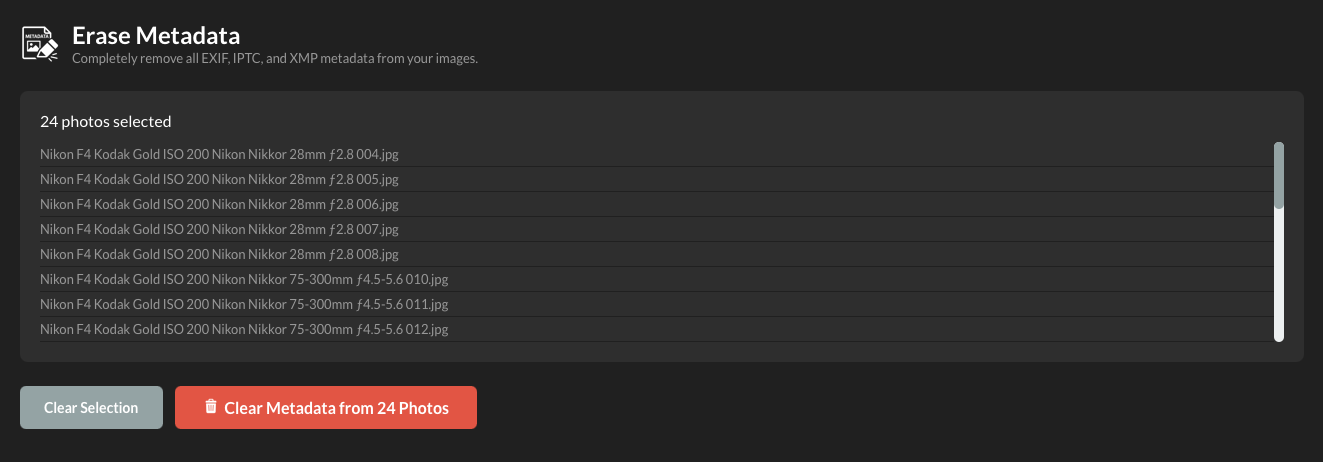
Erase Metadata - Clean Slate Tool
Desktop App Exclusive
Completely remove all metadata from images for privacy, archival, or fresh tagging purposes.
- Complete EXIF/IPTC/XMP removal
- Batch processing support
- Safety confirmation dialogs
- Drag and drop interface
- Progress feedback
- Privacy protection
- Non-destructive workflow options
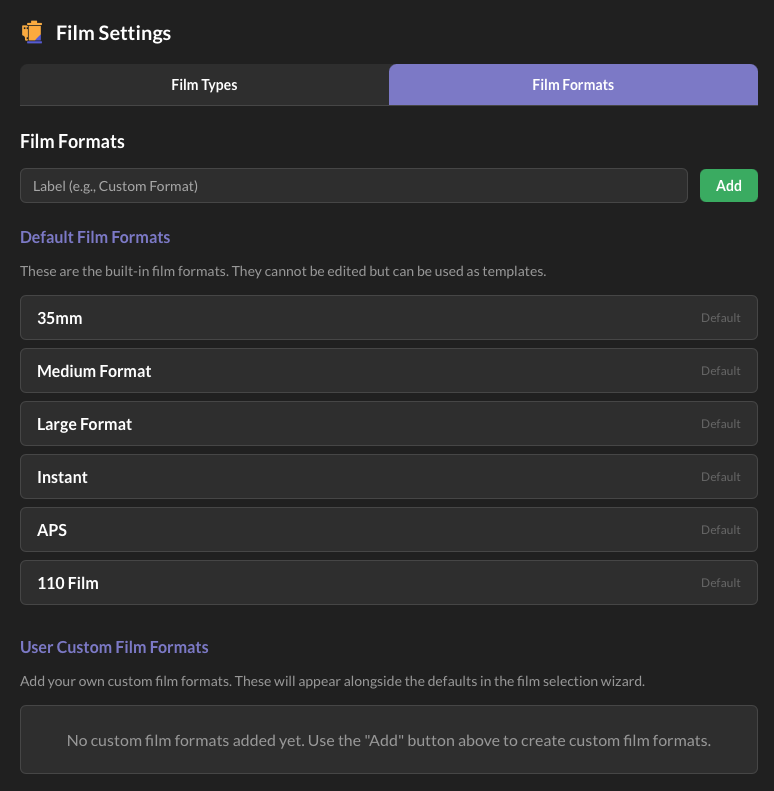
Customization & Extension
Available in: Desktop App & Lightroom Plugin
Add custom film formats, film types, and frame sizes to support any camera or film stock—even experimental or discontinued formats.
- Custom film formats (half-frame, panoramic, experimental)
- Custom film types for specialty stocks
- Custom frame sizes for unusual camera backs
- Icon selection for visual identification
- Preset import/export
- Share configurations with other users
- Bundle users: Automatic sync between Desktop and Plugin
Additional Features
Industry-Standard Metadata
Writes to EXIF, IPTC, and XMP fields using industry-standard formats. Fully compatible with Lightroom, Bridge, and all photo management software.
Desktop App & Lightroom Plugin

Preset Management
Export and import preset libraries for backup or sharing. Bundle users enjoy automatic preset synchronization between Desktop and Plugin.
Desktop App & Lightroom Plugin
Batch Processing
Apply metadata to entire rolls at once. Desktop App supports drag-and-drop from anywhere, Plugin works with Lightroom catalog selections.
Desktop App & Lightroom Plugin

Destination & Export Control
Choose where tagged images are saved, create custom folder structures, and integrate MetaRename patterns into export workflows.
Desktop App Exclusive

Lightroom Integration
Plugin launches directly from Library → Plug-in Extras. Works with selected images in your catalog without export/import steps.
Lightroom Plugin
Bundle Benefits
Get both Desktop App and Lightroom Plugin with automatic preset synchronization. Switch between applications as your workflow demands.
Bundle