Professional Metadata Management for Film Photographers
FilmTracker is available as both a standalone Desktop Application and a Lightroom Classic Plugin. Preserve detailed camera, lens, and film stock information for all your analog photography.

Choose Your Workflow
FilmTracker adapts to how you work. Choose the Desktop App for standalone control, the Lightroom Plugin for catalog-based workflows, or get both with the Bundle.

Desktop App
Full-featured standalone application with advanced batch renaming, metadata removal, and complete export control. Works independently without requiring any other software.
Learn More
Lightroom Plugin
Streamlined metadata tagging directly within Lightroom Classic's Library module. Perfect for photographers who work exclusively in Lightroom catalogs.
Learn More
Bundle
Both products working together with shared presets and synchronized workflows. Maximum flexibility to switch between applications as your needs change.
View PricingEverything You Need for Film Photography Metadata

Camera Manager
Build a complete database of your film cameras with detailed specifications. Presets sync automatically between Desktop and Plugin (Bundle users).

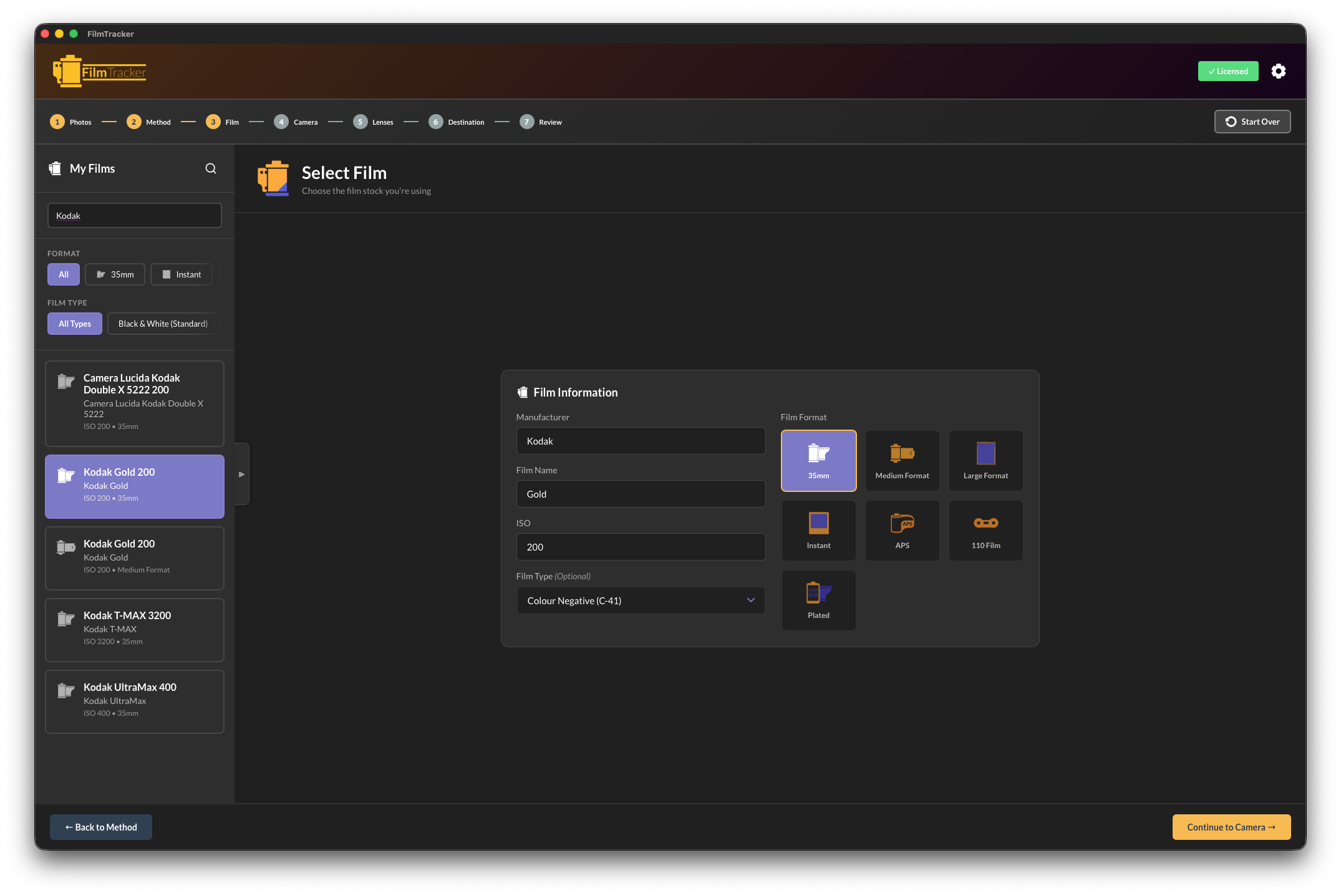
Film Manager
Track every film stock you use with manufacturer, type, ISO, and format information. Comprehensive library shared across both applications.

Lens Manager
Document your entire lens collection with precise optical specifications. Support for both prime and zoom lenses with automatic focal length categories.
Intelligent Workflow-Based Interface
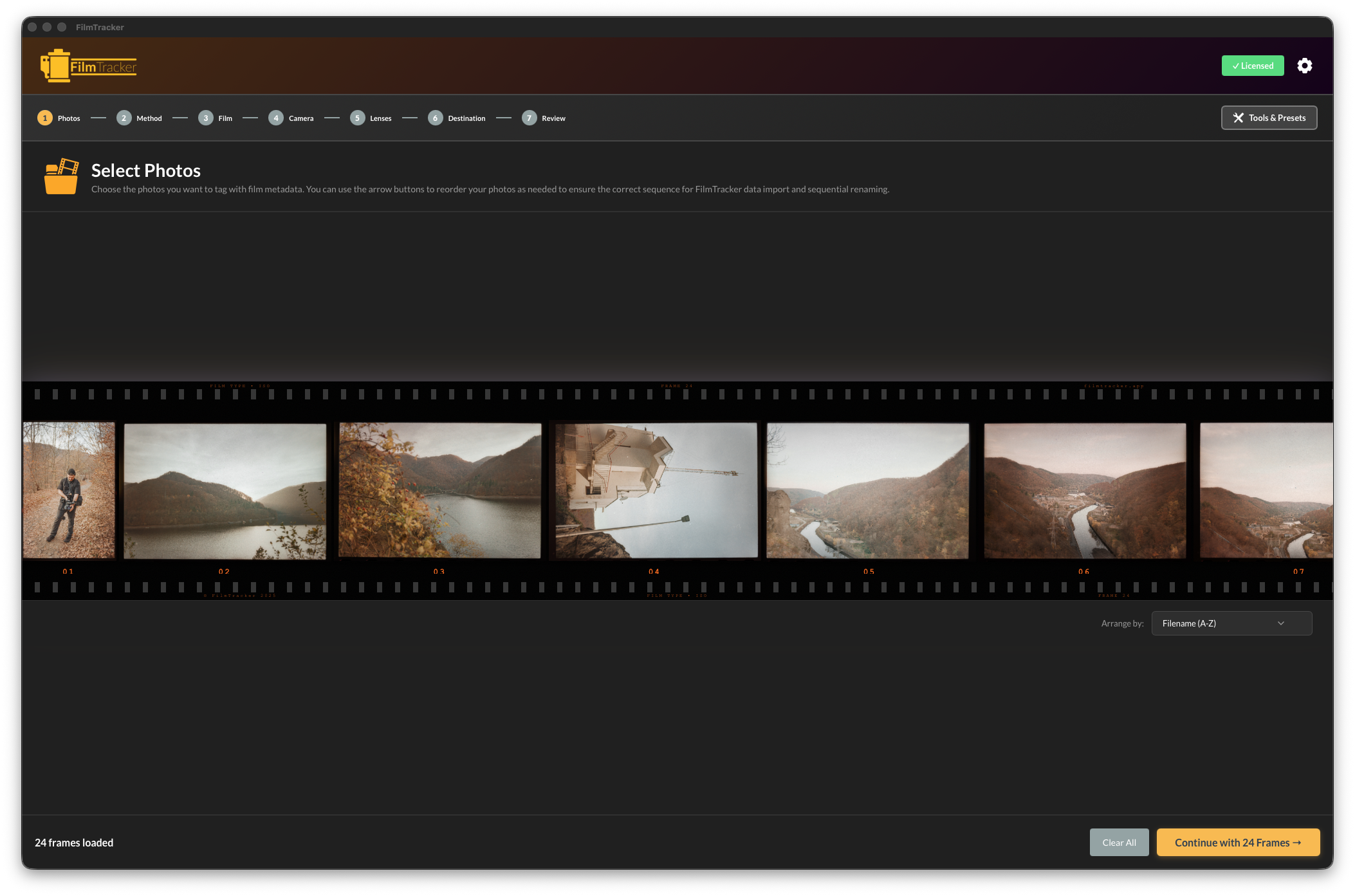
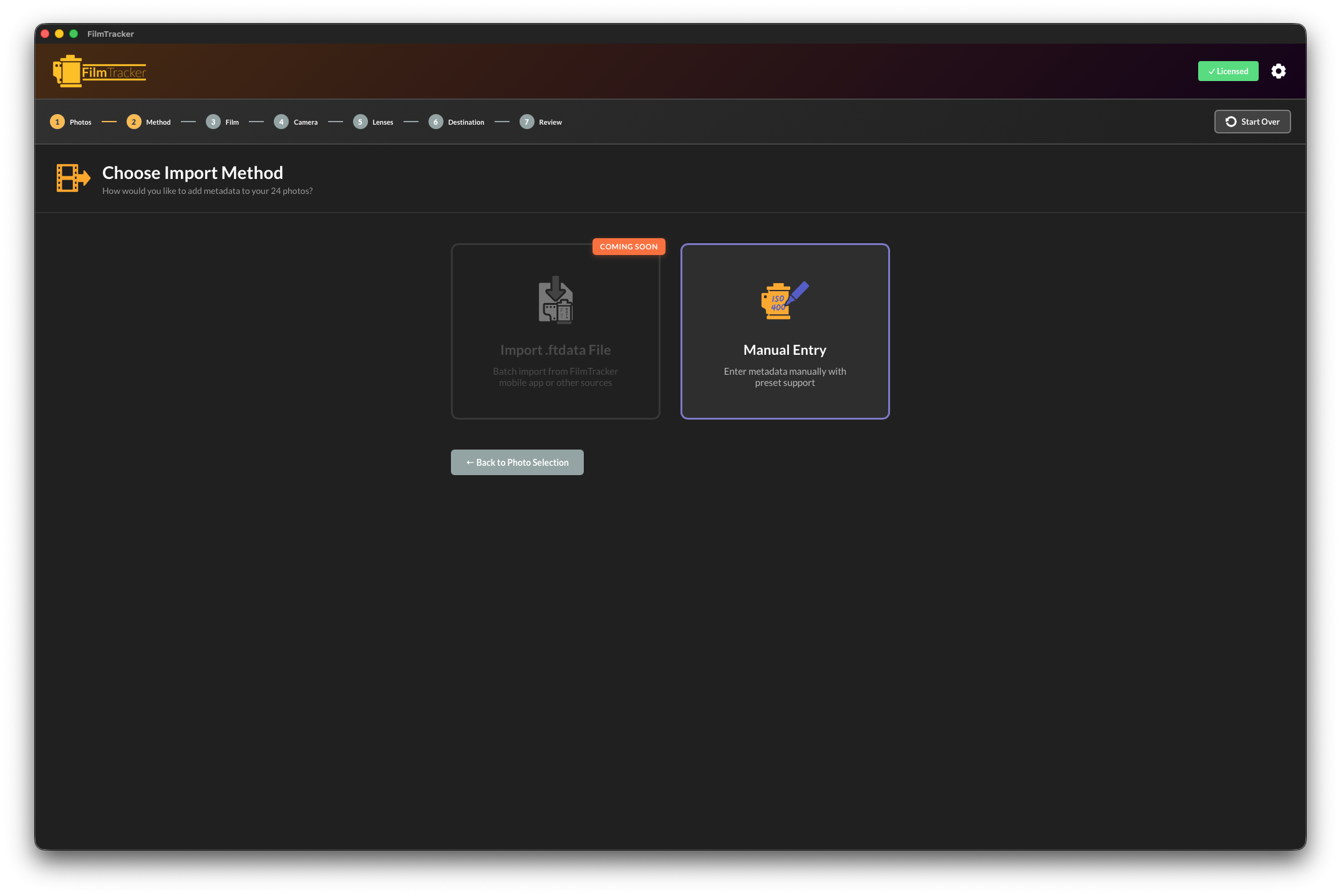
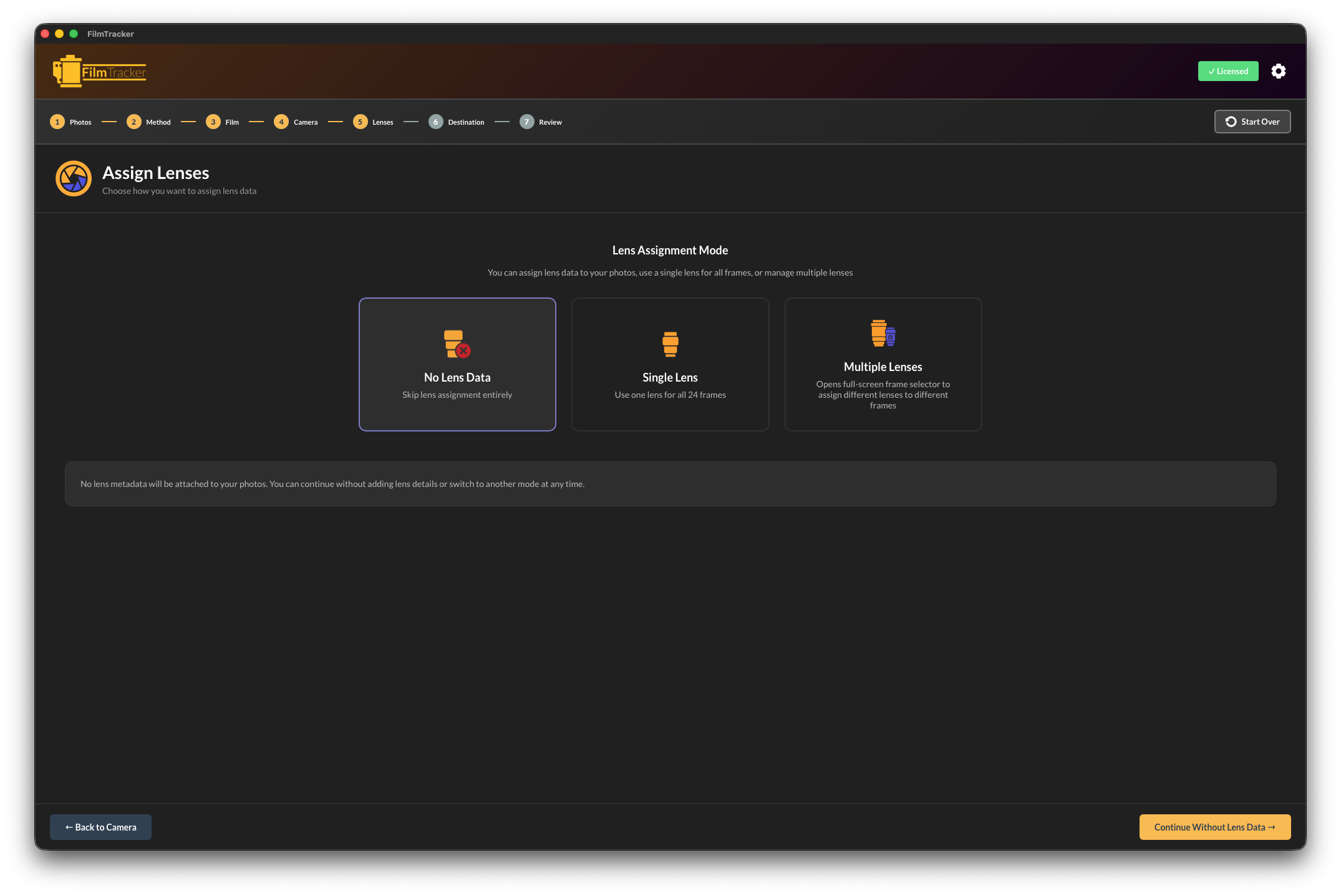
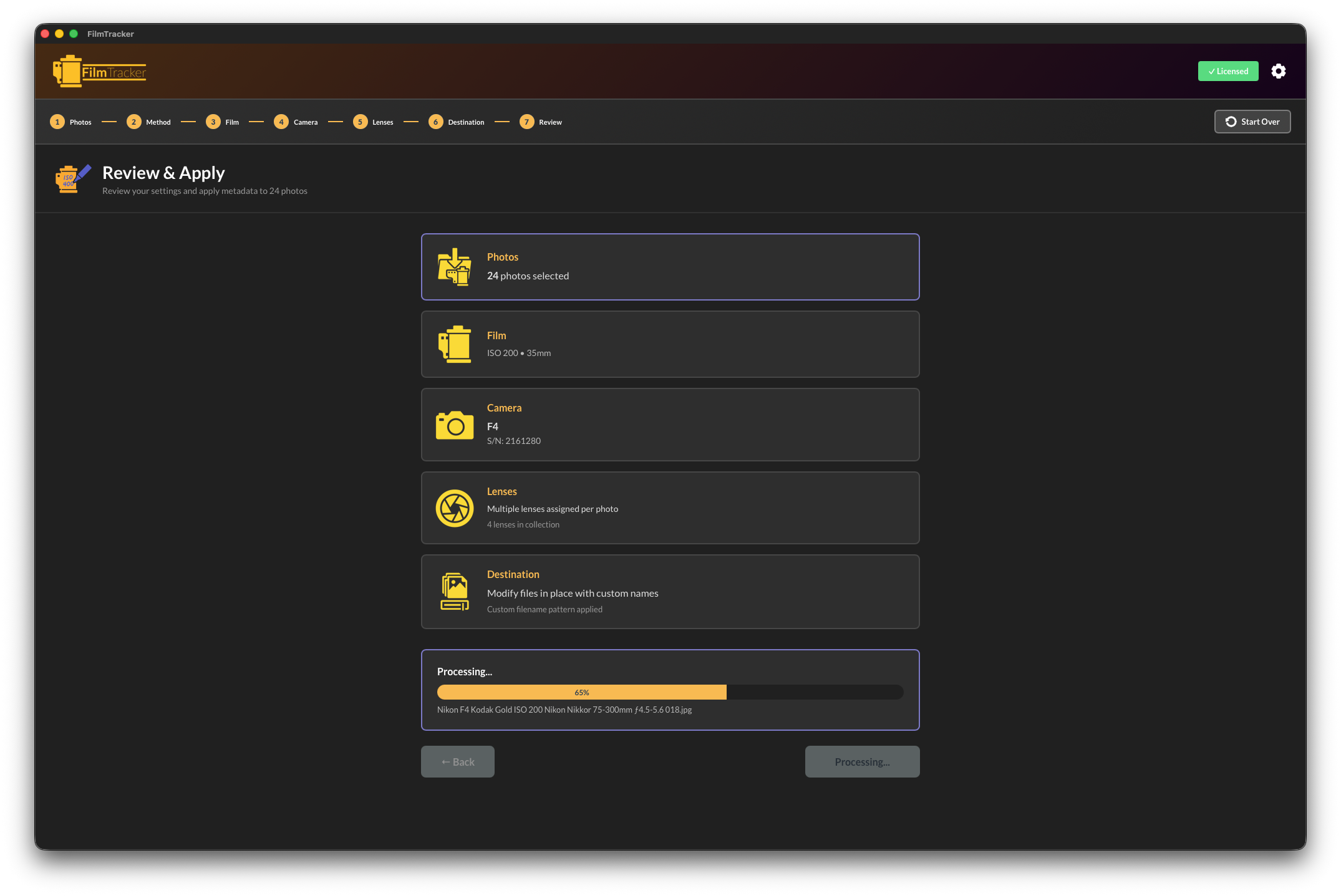
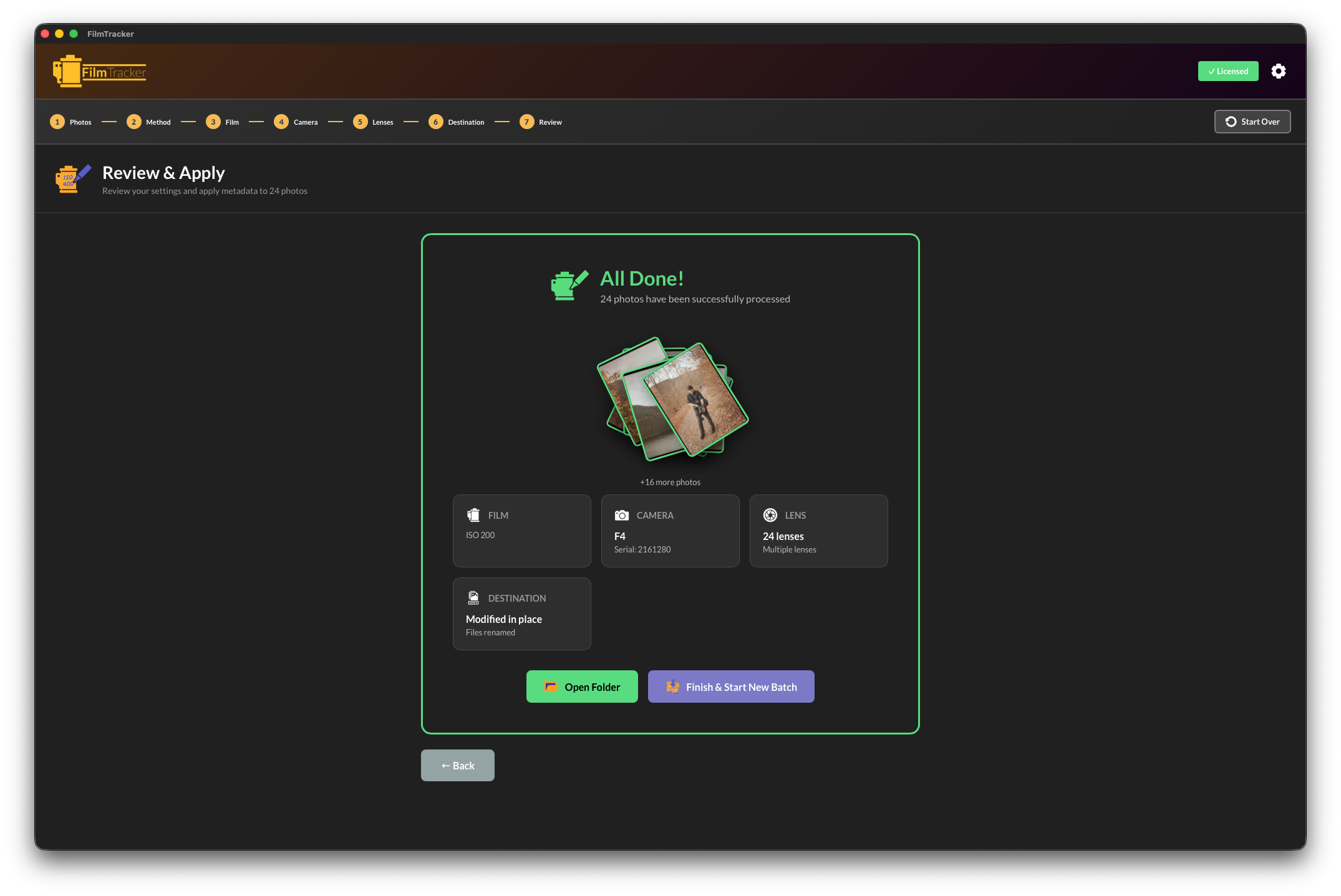
FilmTracker uses a step-by-step wizard that mirrors your actual shooting workflow
Import Photos
Drag and drop your scanned images (Desktop) or select from your Lightroom catalog (Plugin)
Select Camera & Film
Choose from your saved camera and film stock presets
Assign Lenses
Set lens information for the entire roll or individually per frame
Write Metadata
Apply all metadata to your files using industry-standard EXIF/IPTC/XMP formats
Comprehensive Preset Management
Available in both Desktop App and Lightroom Plugin
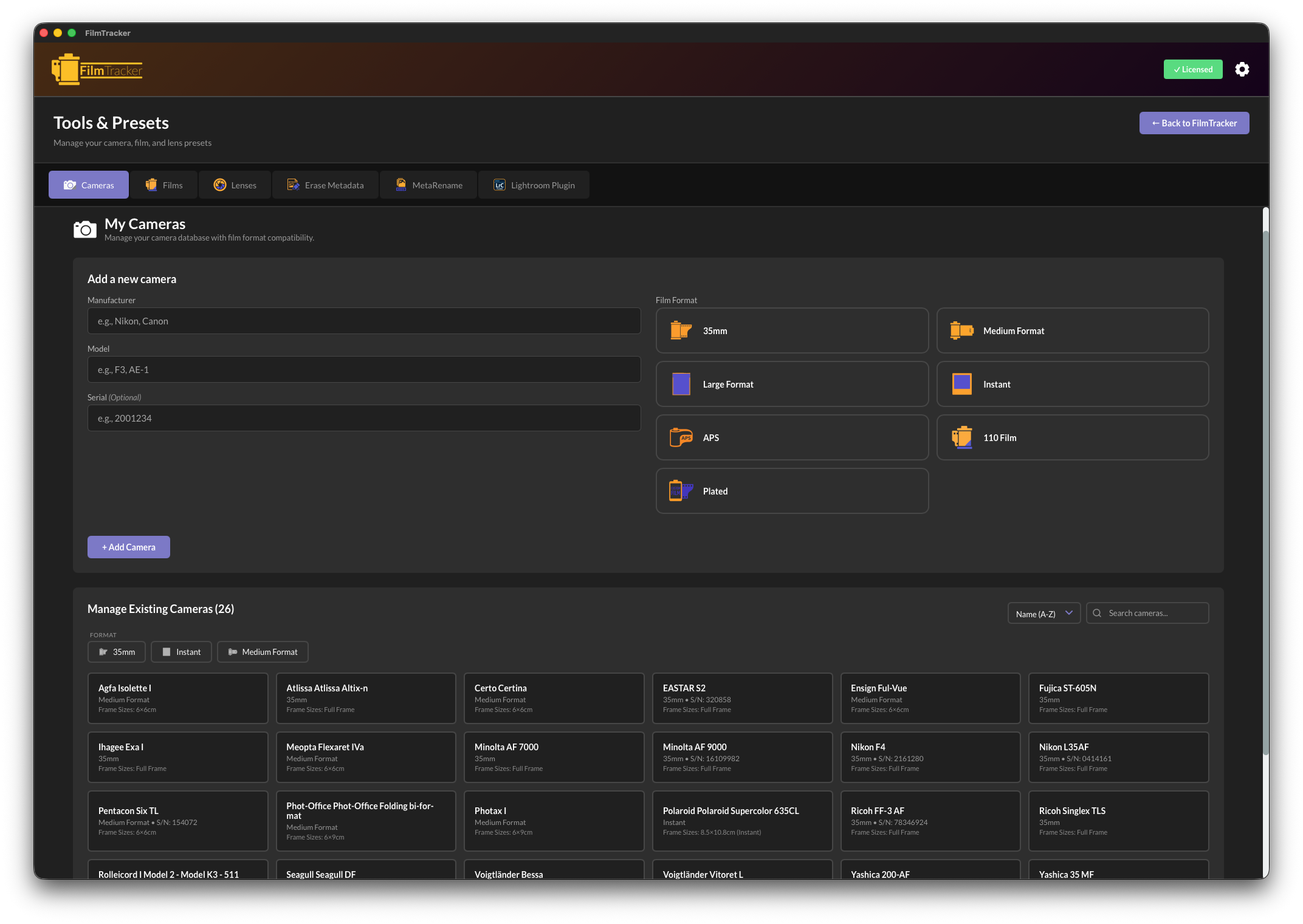
Camera Manager
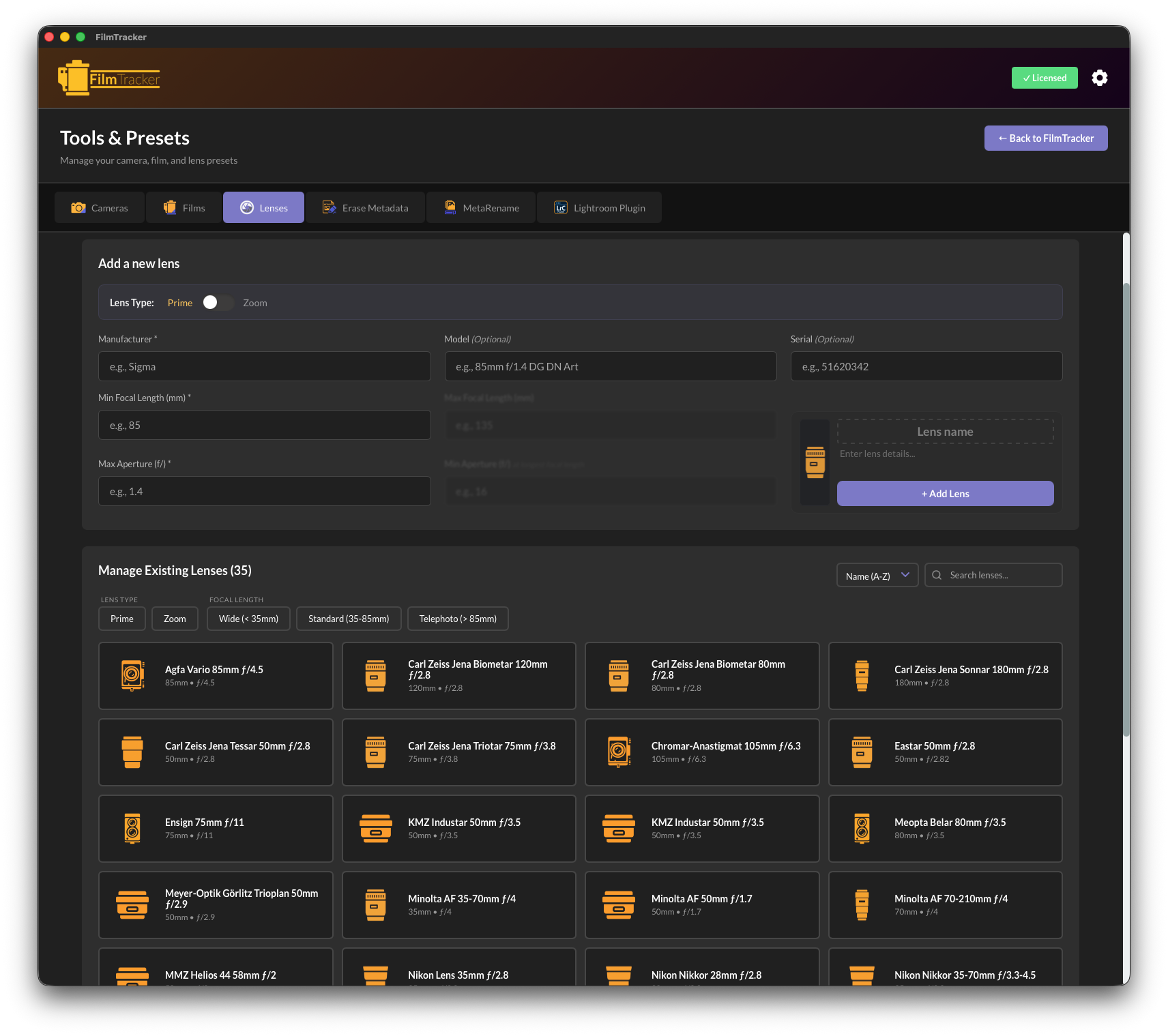
Lens Manager
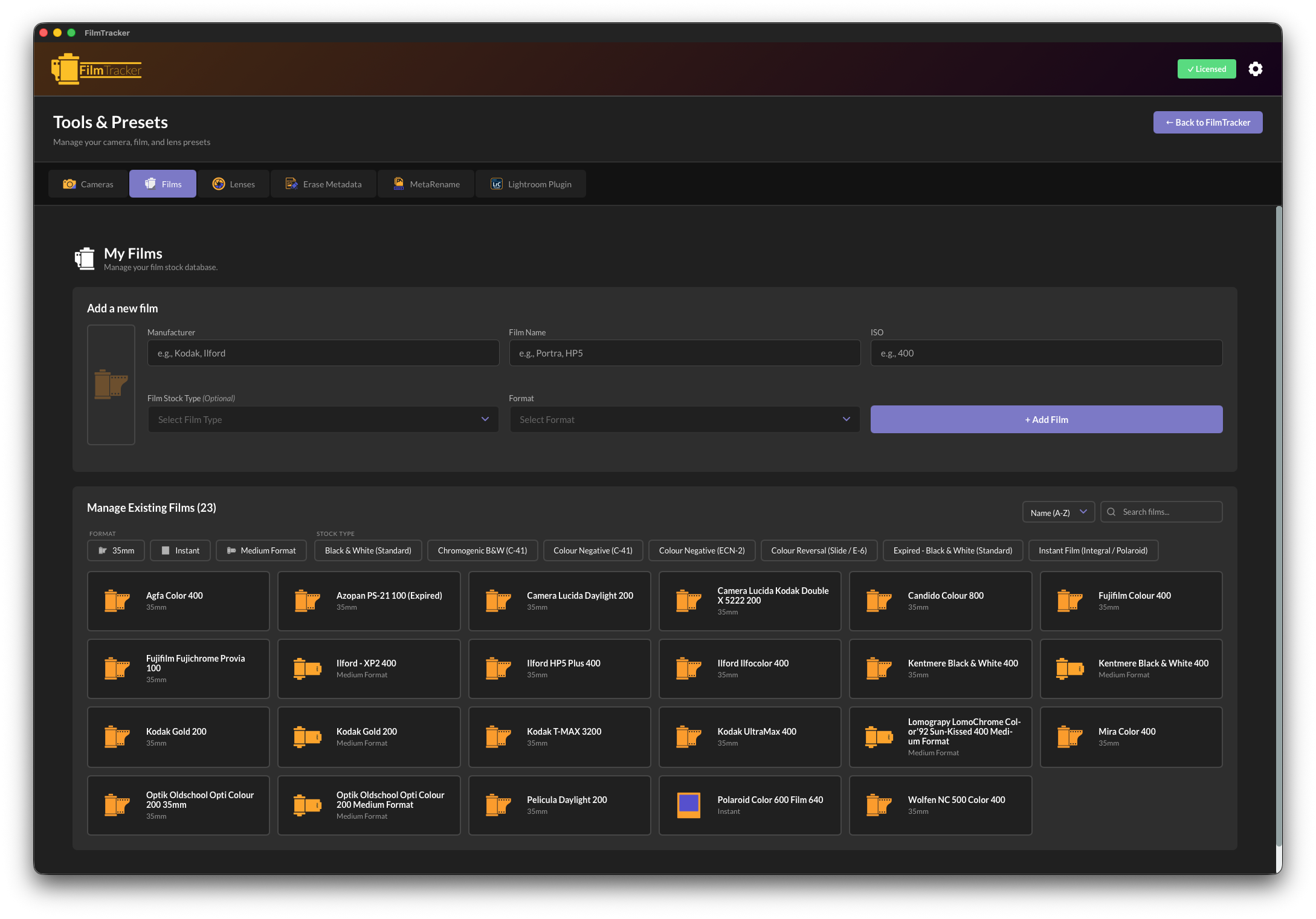
Film Manager
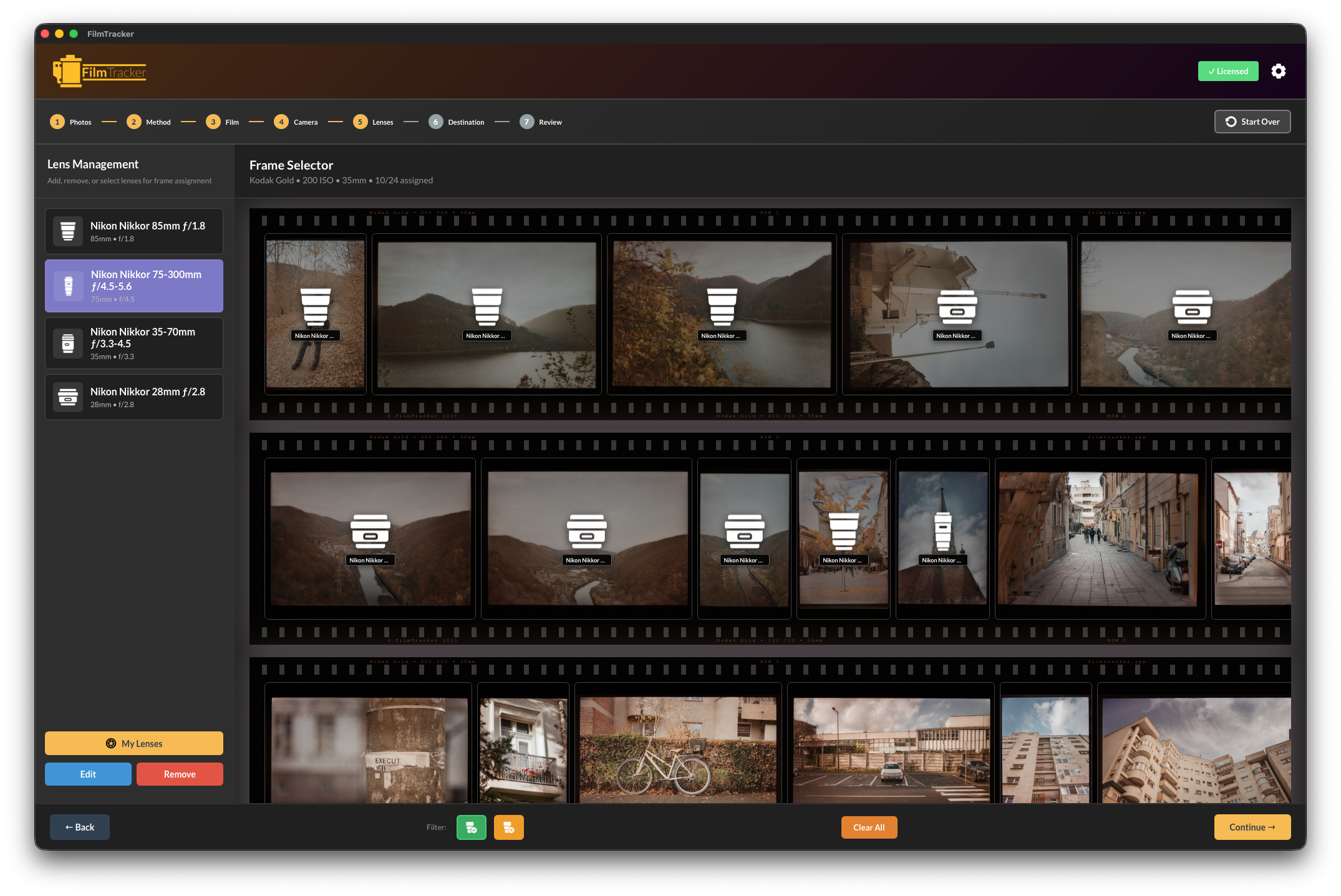
Frame-by-Frame Control
Assign different lenses to individual frames within a roll
For mixed-lens shooting, FilmTracker's filmstrip view lets you assign different lenses to individual frames within a roll. See all your images in a visual filmstrip layout and apply lens metadata with precision.
Visual Filmstrip
See all your images with thumbnails in a horizontal justified layout
Individual Selection
Click to select single or multiple frames, or drag to select ranges
Batch Assignment
Apply the same lens to multiple selected frames with one click
Quick Access
Lens presets drawer with search and filters for fast assignment
Perfect for street photography, testing multiple lenses, or any mixed-lens shooting scenario
Desktop-Exclusive Power Tools
Advanced features available in the Desktop App

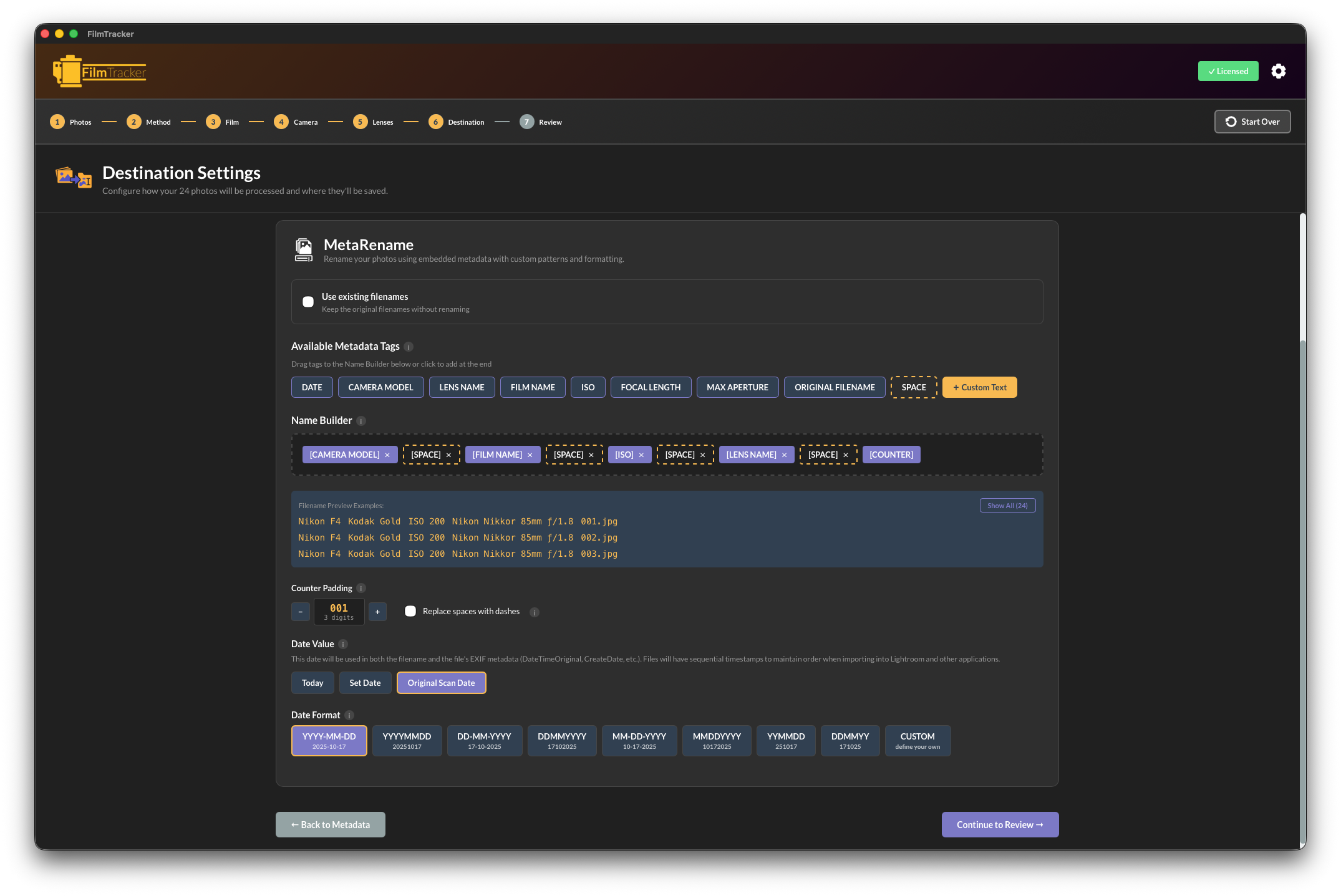
MetaRename
Advanced batch renaming with drag-and-drop filename patterns. Create organized exports using camera, film, date, and frame number tags.
- Drag-and-drop pattern builder
- Camera, film, lens, date, and counter tags
- Live preview before renaming
- Smart counter with zero-padding
- Multiple date format options
- Batch process hundreds of files


Erase Metadata
Completely remove all metadata from images for privacy, archival, or fresh tagging purposes.
- Complete EXIF/IPTC/XMP removal
- Batch processing support
- Safety confirmation dialogs
- Drag and drop interface
- Progress feedback
- Privacy protection
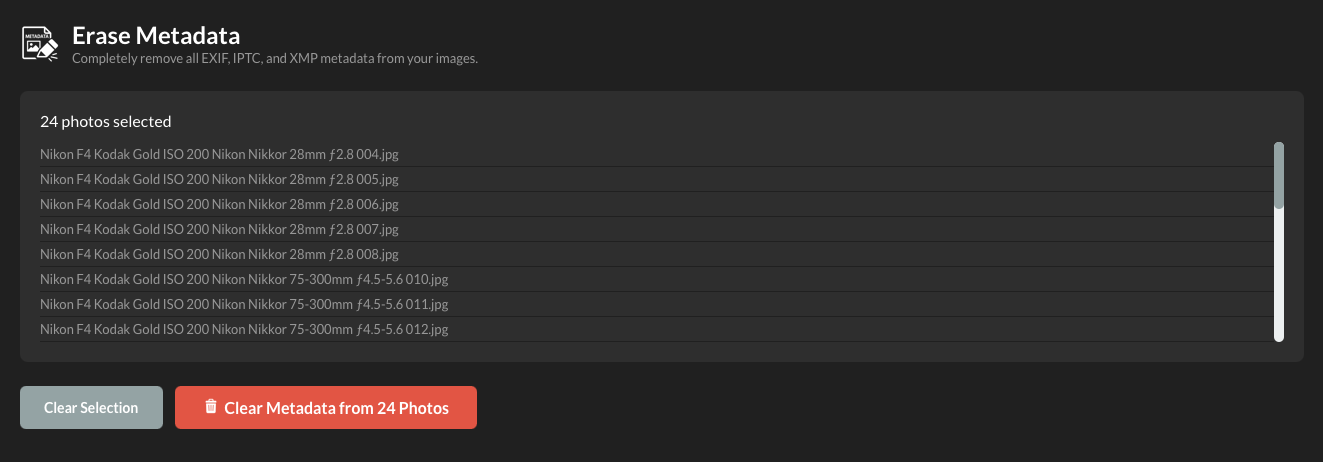
Customization & Extension
Add custom formats, film types, and frame sizes to support any camera or film stock
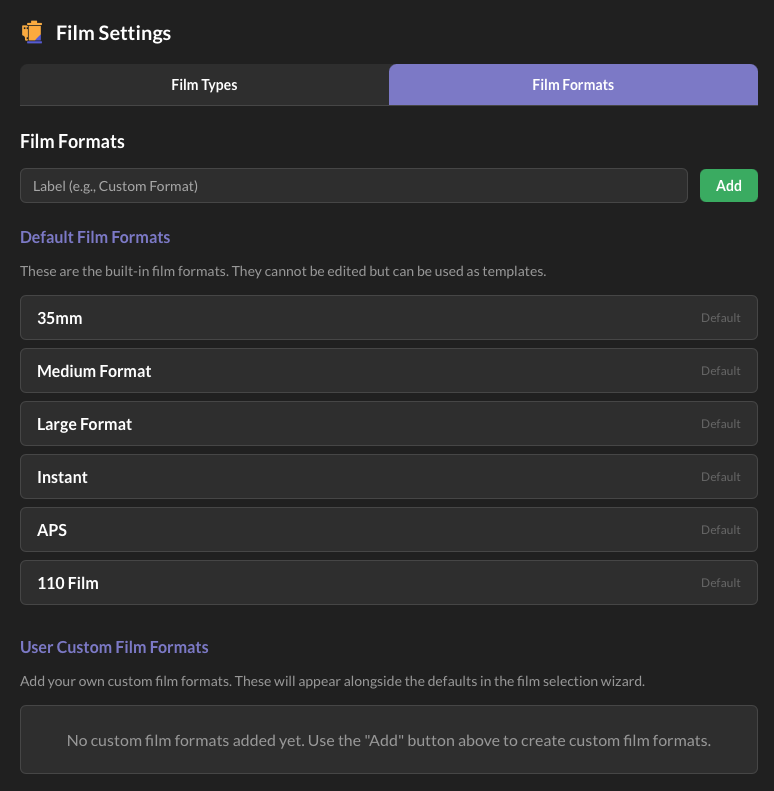
Custom Film Formats
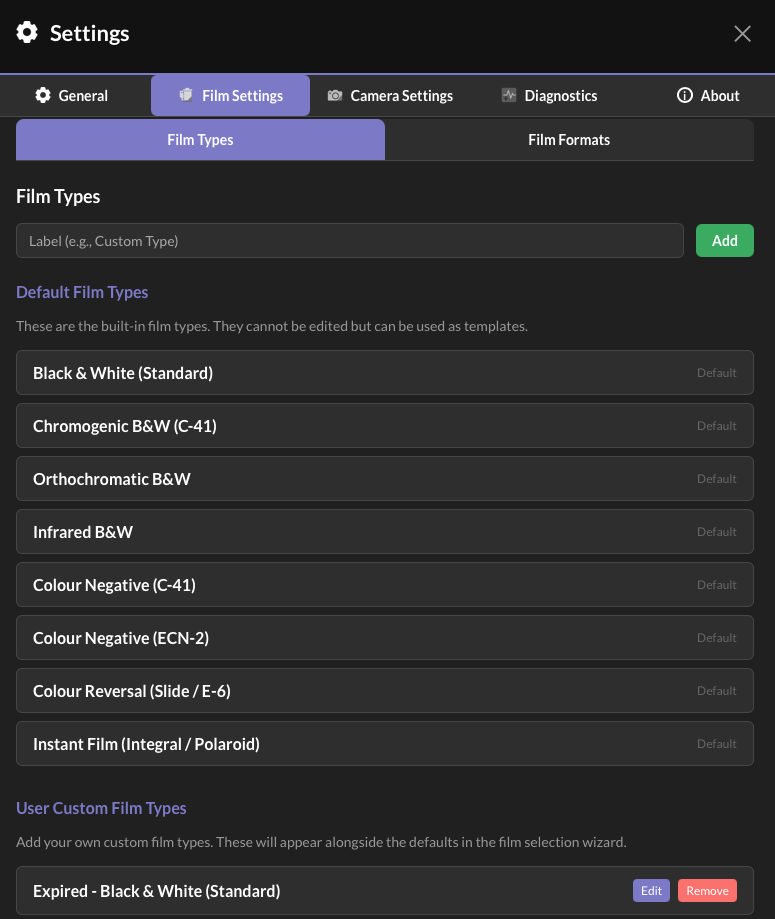
Custom Film Types
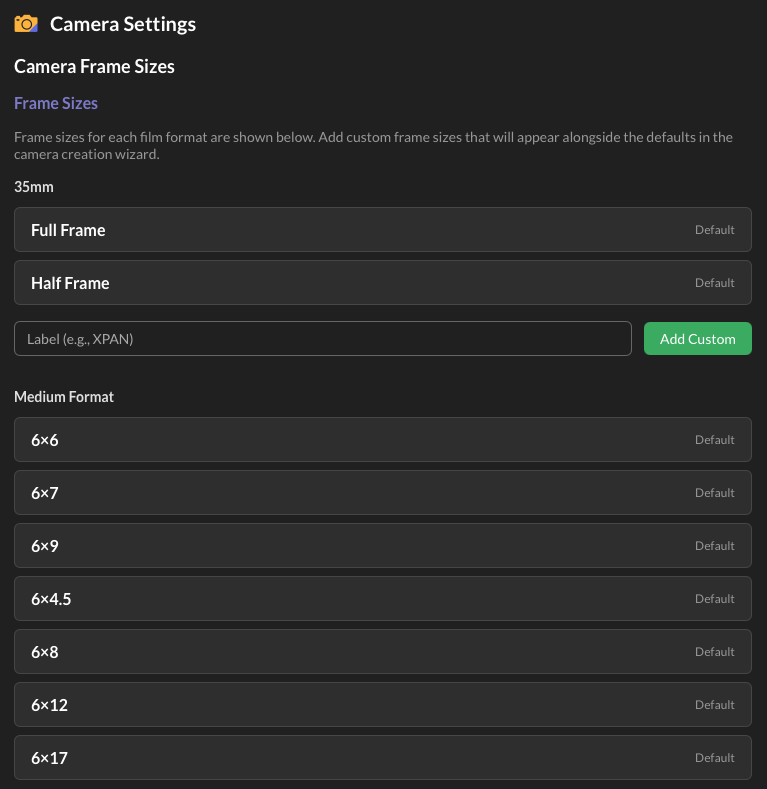
Custom Frame Sizes
Which FilmTracker is Right for You?
| Feature |
Desktop App
|
Lightroom Plugin
|
Bundle
|
|---|---|---|---|
| Standalone Operation | ✓ | — | ✓ |
| Camera/Film/Lens Presets | ✓ | ✓ | ✓ Shared |
| Filmstrip & Metadata | ✓ | ✓ | ✓ |
| Custom Formats/Types/Sizes | ✓ | ✓ | ✓ |
| MetaRename Tool | ✓ | — | ✓ |
| Erase Metadata Tool | ✓ | — | ✓ |
| Destination/Export Control | ✓ | — | ✓ |
| Works in Lightroom Library | — | ✓ | ✓ |
| Best For | Non-Lightroom users or complete control | Lightroom Classic users only | Maximum flexibility |
Desktop App
Lightroom Plugin
Bundle
Ready to Organize Your Film Photography?
Choose the Desktop App, Lightroom Plugin, or Bundle. One-time purchase, no subscriptions.
Get Started Today